
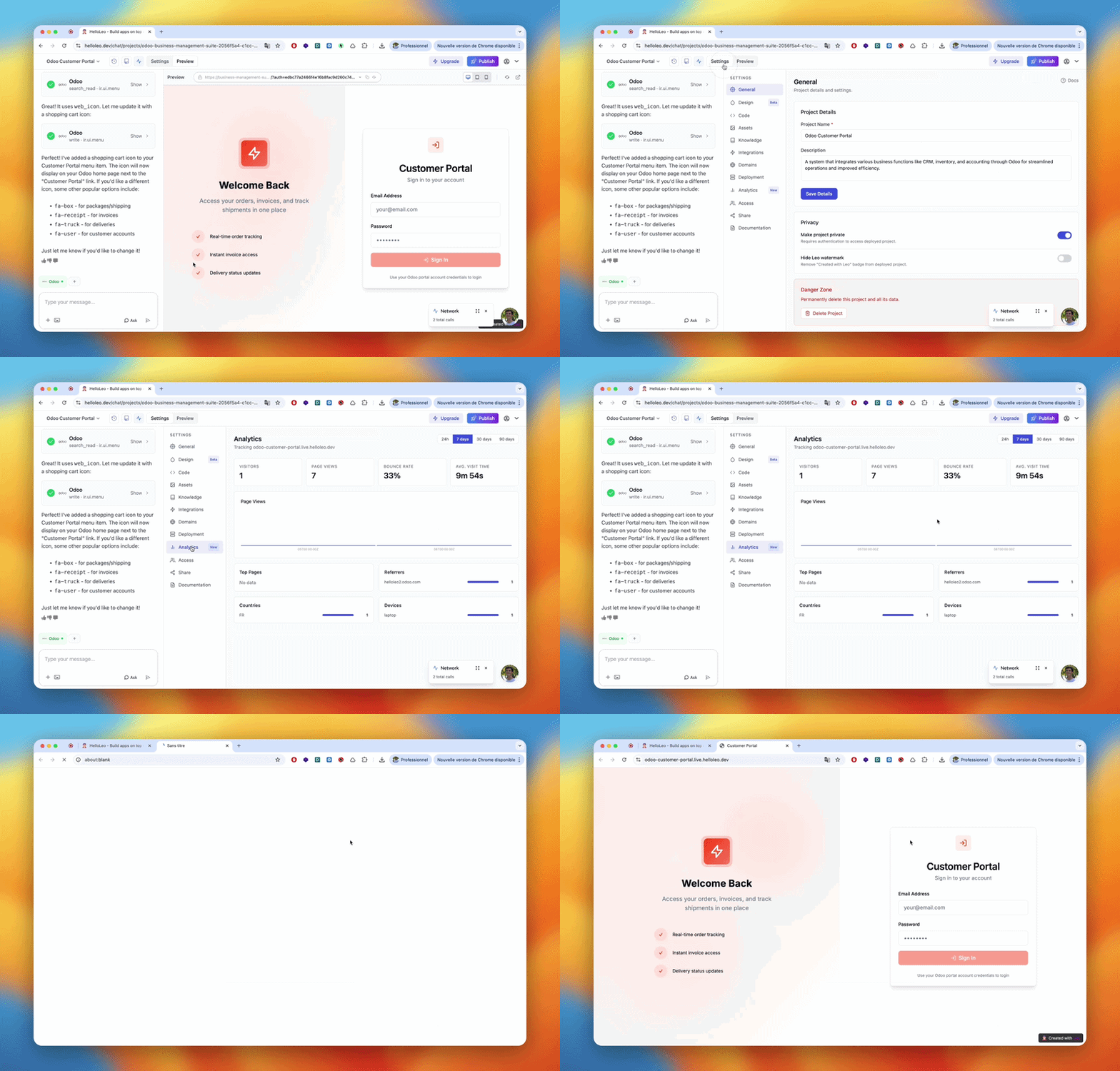
Project Analytics
Project Analytics is available on Business plan and above.
Accessing Project Analytics
- Open a deployed project
- Click the Analytics tab in the project navigation
What You Can Track
- Page views - Total visits to your deployed app
- Traffic over time - Daily and weekly visit trends
- Top pages - Which pages get the most visits
- Referrers - Where your visitors are coming from
Workspace Analytics
Workspace Analytics is available on the Enterprise plan.
Accessing Workspace Analytics
- Go to Workspaces in the sidebar
- Open the workspace you want to monitor
- Click the Analytics tab
What You Get
- Workspace-wide traffic - Combined metrics across all workspace projects
- Per-project breakdown - See which projects drive the most activity
- Team usage - Monitor prompt usage and project activity per workspace member
- Activity over time - Usage trends for the whole workspace